

Graphical interface
Everything the commands show, in a window: the dashboard, each project with its evidence, what changed, explain and ask. It is optional and lives in an extra, so the base install stays small.
bash
pipx install 'localalibiscan[ui]'     # or, if already installed: pipx install 'localalibiscan[ui]' --force
las ui ~/code                         # a folder of projects, or a single project
las ui ~/code --port 8600 --no-browser
las ui starts a local Streamlit server and opens http://127.0.0.1:8501. Stop it with Ctrl+C.
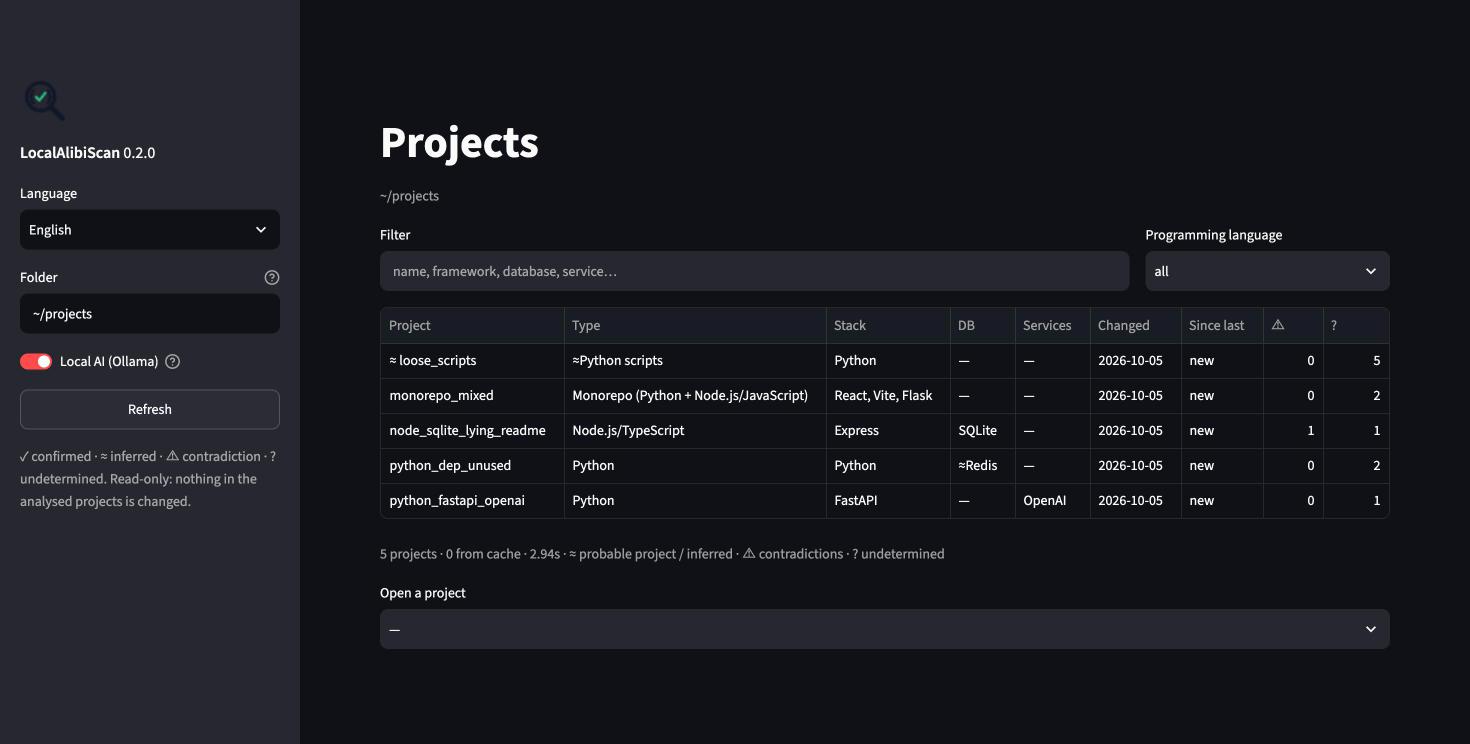
What you see
- Projects: the dashboard table, with a text filter and a programming-language filter. Pick a project to open it below.
- Profile: the counts per status and every claim by section. Each claim opens its evidence with the lines around the cited one (
→marks it). Dependencies, scripts and routes are shown as tables. You can hide statuses (for example, only ⚠ contradictions).
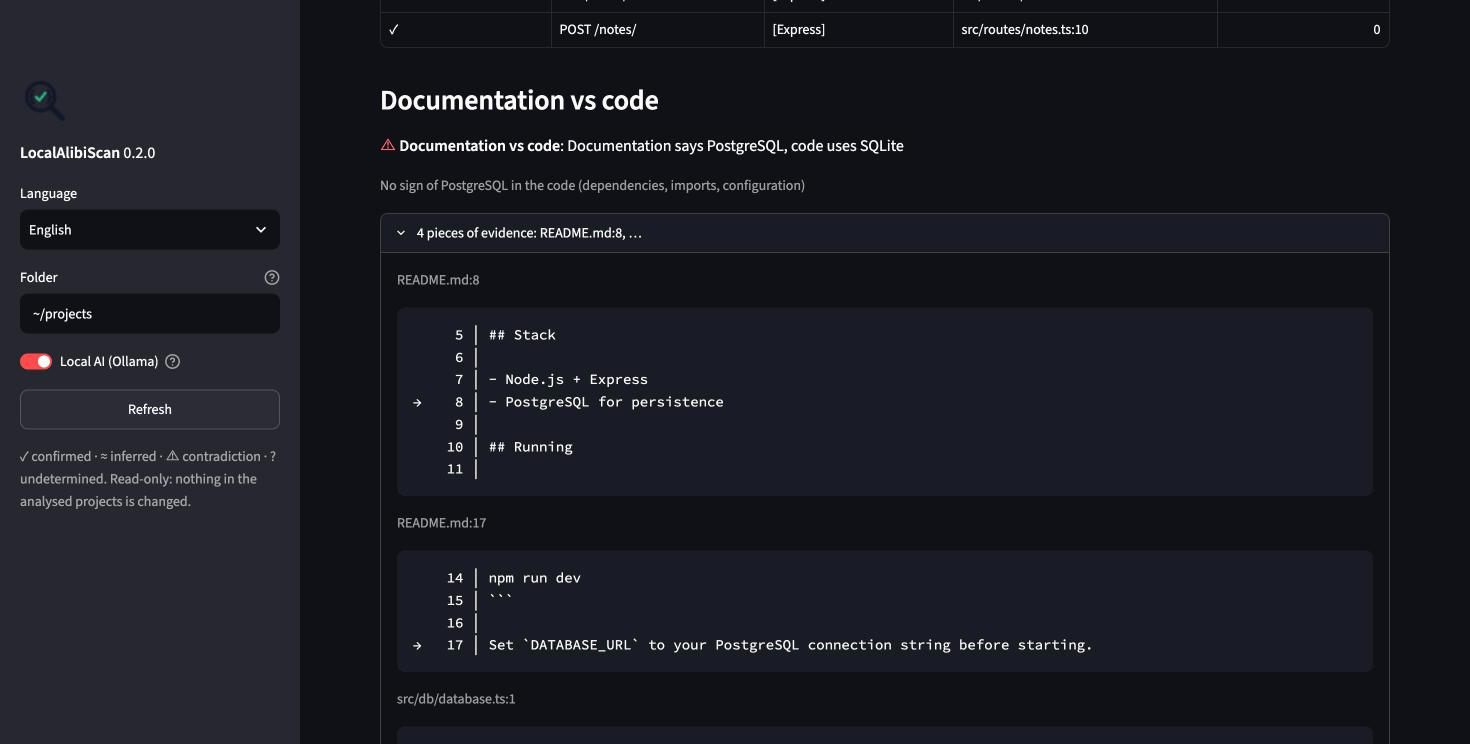
- What changed: every previous analysis, and the differences between any two of them.
- Explain and Ask: the same as
las explainandlas ask. The Local AI switch in the sidebar turns Ollama on or off; without it you get facts and evidence only.
The sidebar also has the interface language (English or Portuguese), the folder to look at, and Refresh: it looks at the disk again, and projects whose fingerprint changed are analysed again (the others come from the cache).
Same guarantees
The interface only shows what the core computes; it adds no detection of its own. It is still read-only, never runs project code, and:
- listens on
127.0.0.1only, with Streamlit's usage statistics off — set on the command line, so no configuration file can change them; - runs from
~/.localalibi/, so it never reads a.streamlit/folder from the analysed project; - never renders text from the project as Markdown or HTML.