Frontend + Python API
What this page is for: apps with a Node frontend (for example Vite + React) and a Python API (FastAPI or Flask) in the same project — a common shape for apps made with AI tools.
With codeTAC, the two parts start together, and one click in the page is followed all the way to your Python functions.
Steps
- Put the Python API in the same folder as the frontend, or in a subfolder (
backend/,api/…). - Go to the project's main folder in the Terminal and type
codetac. - codeTAC finds both parts and asks which ones to start. Press Enter to start them all. (To start only some, use
--part <folder>, which can repeat.) - When ✓ App ready appears, use the page as usual.
- Open the dossier: the browser click, the request to the API, and the Python functions that ran — in one dossier.
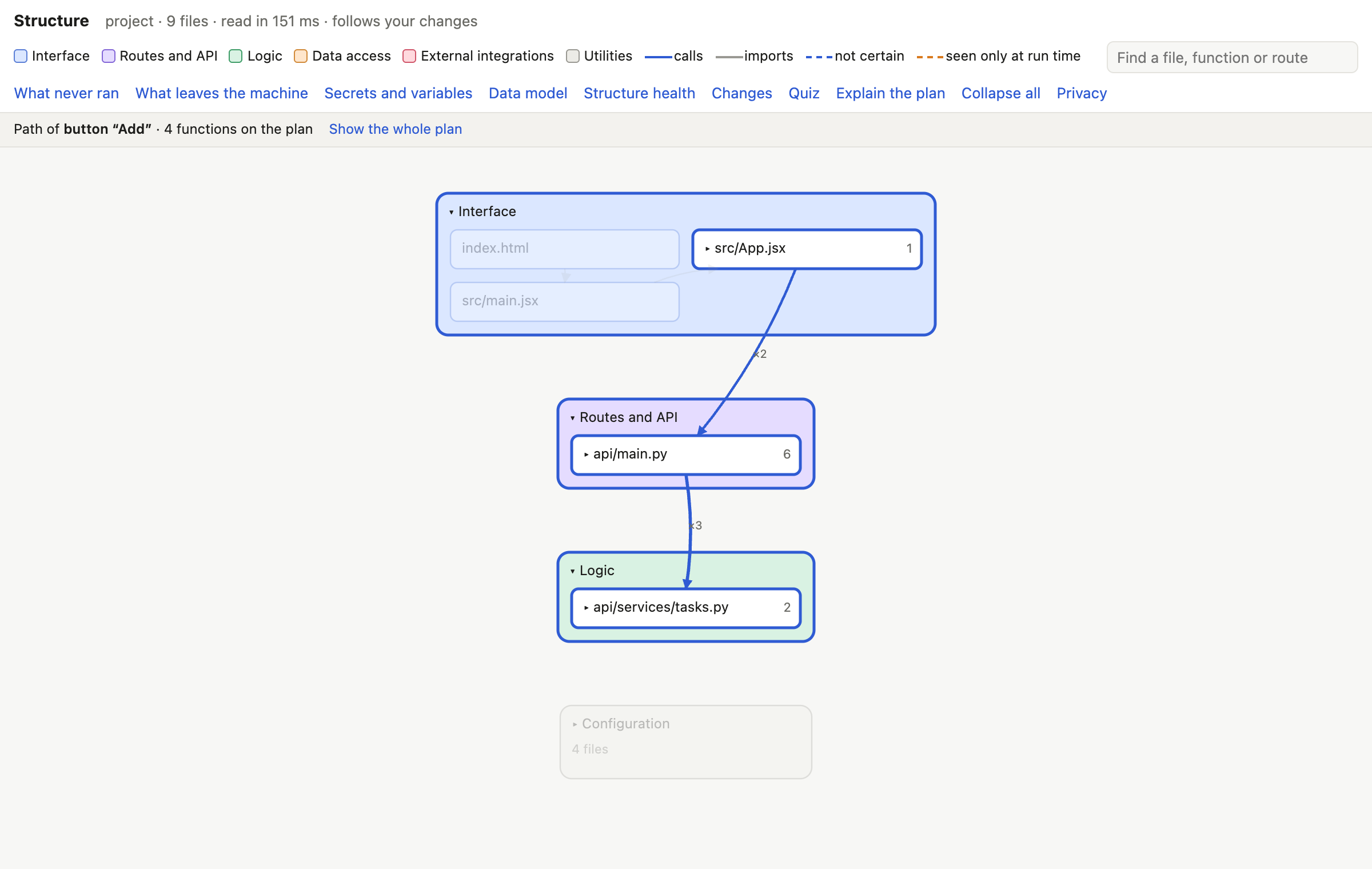
- Open Structure: frontend and API are one floor plan, where the page's
fetch('/api/…')calls point to the Python routes.
Tips
- Start from the project's main folder, so the recording and the plan name the files the same way. If you start the API yourself, keep the same folder: for example
uvicorn --app-dir api main:app. - For dossiers of the Python part, the API needs Python 3.12 or newer (Python apps).
What it means
You can press a button in your React page and see which Python function answered it, which table it touched and which service it called — without knowing how the two parts are wired together.
What it can't tell you
- A Vite proxy that rewrites the path, and a
fetchto a full address such ashttp://localhost:8000/…, are not followed from the frontend to the Python routes on the floor plan. - Only Python parts in the main folder or one folder level below are found.
- A frontend and an API in two separate projects, each started on its own, have not been tested yet: they may not be joined in one dossier.