What leaves my computer?
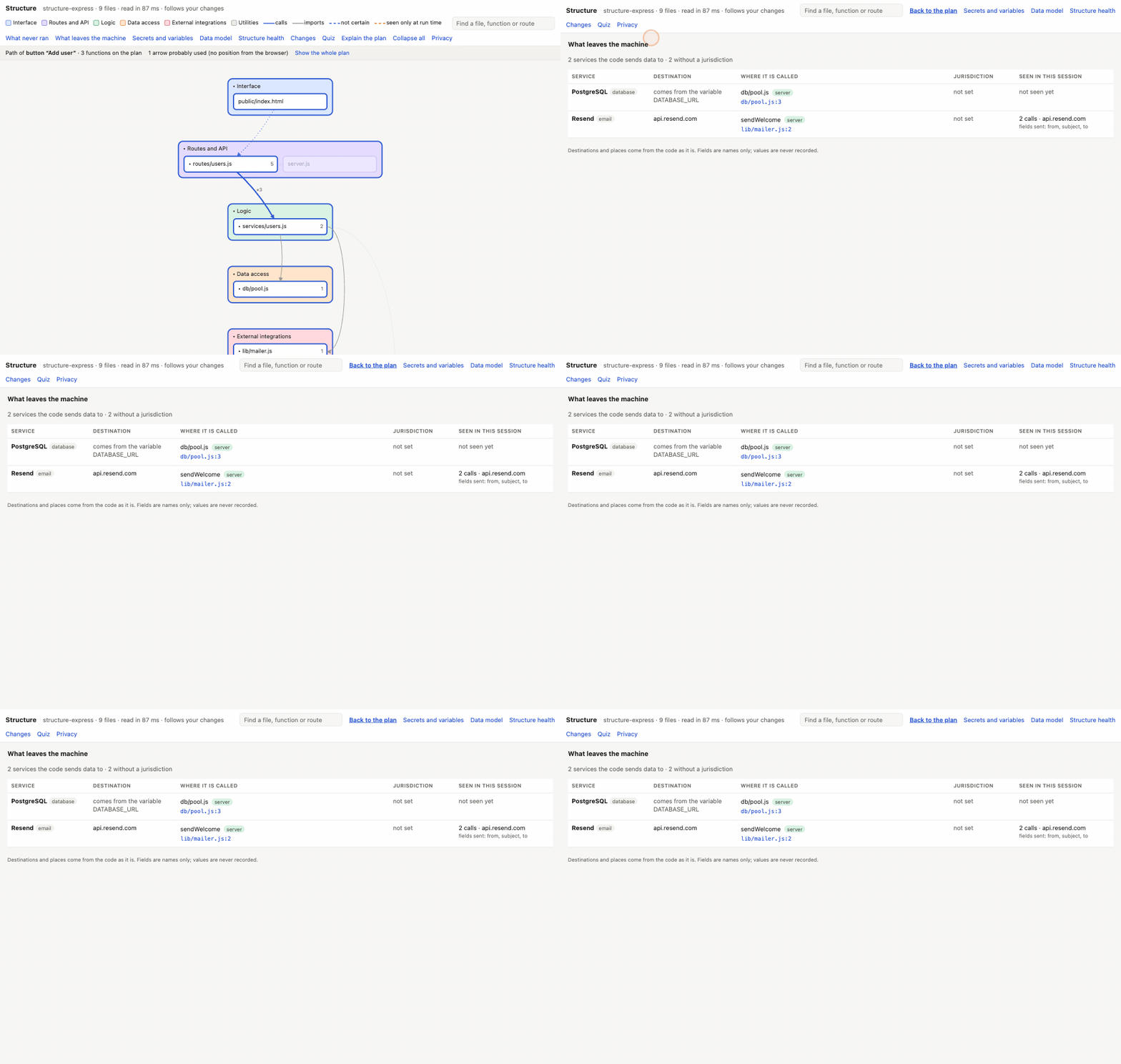
What this page is for: finding every outside service your code sends data to — AI, databases, payments, email, analytics, monitoring and any other address — and whether the browser talks to it directly.
This matters for privacy (and laws such as the GDPR): if your app sends your users' data somewhere, you should know where.
Steps
- Open Structure (how).
- Press What leaves the machine at the top of the plan.
- Read the table: one row per service.
- Click a place in Where it is called to see the file and line.
- Optional: write down where each service keeps its data (its jurisdiction) in the settings file — see below.
What each column means
| Column | Meaning |
|---|---|
| Service | the service, when codeTAC knows it (about 50 are known: OpenAI, Anthropic, Stripe, Resend, Sentry, PostHog…), or just its address |
| Destination | where the data goes: the address, comes from the variable X, or unknown (the address is built at run time). codeTAC never guesses |
| Where it is called | the file and line, and whether the call is made from the browser or the server |
| Jurisdiction | where the service keeps the data — you write this; codeTAC never fills it in. not set until you do |
| Seen in this session | calls actually seen while you used the app, and the names of the fields sent (never their values). not seen yet if none |
“browser” — why it matters
When a service is called from the browser, the service sees your user's IP address and the data directly, and any key used for it is visible to anyone who opens the page. Calling it from your server instead keeps that between your server and the service.
Seen only at run time
A separate list shows addresses that received calls in this session but that the code, as read, does not show — for example an address built while the app runs, or a call made by a library.
Writing down a jurisdiction
Create (or edit) the file codetac.structure.json at your project's root:
{
  "version": 1,
  "services": [
    { "id": "openai", "jurisdiction": "USA" }
  ]
}
You can also describe a service of your own that codeTAC does not know. See Settings file.
What it means
This is the list of every door out of your app that the code shows. If a service is in the list, your code can send it data. If it says browser, that data leaves straight from your user's device.
What it can't tell you
- Calls made through a client of your own, or through an SDK codeTAC does not know, are not seen. You can add the SDK in the settings file.
- A service whose address comes from a variable is never matched with what was seen going out, because codeTAC does not read your variables' values.
- Field names are recorded only for calls made with
fetchfrom a Node server — not with axios orhttp, not from the browser, and not in Python apps. - The jurisdiction is only what you wrote. codeTAC does not check it.