Python apps
What this page is for: using codeTAC on a FastAPI or Flask app — what you need, what is different from a Node app, and what to do when the app is not found.
What you need
| For | Python version |
|---|---|
| Dossiers (following your functions while the app runs) | 3.12 or newer |
| Structure (the floor plan, read from the code) | 3.8 or newer |
With Python 3.8 to 3.11 the app still runs, in minimal mode: you see the requests, the outside services and the browser, but not your functions.
You also need Node.js 24 or newer, because codeTAC is installed with npm (Install).
Steps
- Go to your project's folder in the Terminal.
- Type
codetac. - If the project has no Python environment, codeTAC asks whether to create a
.venvin the project folder and install what it lists (requirements.txt,pyproject.tomloruv.lock). Press Enter for yes. - When ✓ App ready appears:
- a FastAPI app opens its interactive documentation (
/docs): each Try it out gets a dossier; - an app with pages (Flask with Jinja templates, for example) opens its home page: use it as usual;
- an API with no pages does not open the browser: send requests as usual, and each one gets a dossier in the panel (the link is in the Terminal).
- a FastAPI app opens its interactive documentation (
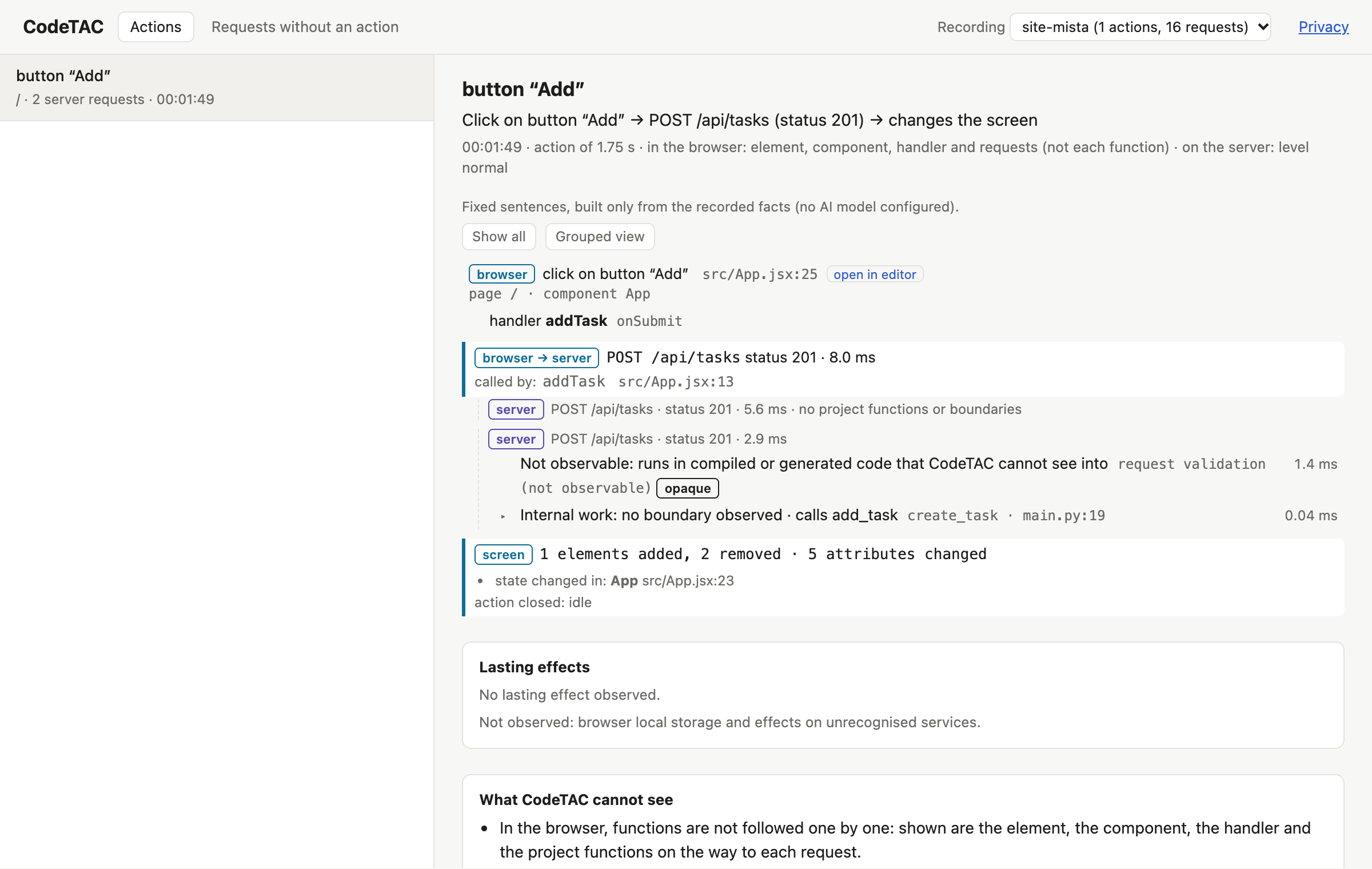
- Read the dossier as in What happens when I click?
What is tested
- FastAPI (
async defanddeffunctions), with uvicorn,fastapi devor gunicorn. - Flask, with
flask run,app.run(), gunicorn or waitress, including Jinja templates. - Projects generated by Claude Code, Replit Agent, Lovable, Codex and Cursor.
- Databases:
sqlite3,psycopg2,psycopg,asyncpg,pymysqland SQLAlchemy.
If codeTAC does not find the app
codeTAC looks for FastAPI(...) or Flask(...) (or a create_app function) in a .py file up to two folder levels below your project folder. If your app is elsewhere, give the start command after --:
codetac -- uvicorn main:app
codetac -- flask --app app run
codetac -- uvicorn main:app --reload
Structure in Python apps
The floor plan reads your .py files with a small helper that ships with codeTAC. It uses only Python's standard library to read the syntax — it never imports or runs your code. It uses your project's .venv (or venv, env) first, else python3. To choose another Python, set the variable CODETAC_PYTHON.
- Routes come from the decorators (
@app.get,@router.post,@bp.route(…, methods=[…])) and from how routers are mounted (include_router(…, prefix=…),register_blueprint(…, url_prefix=…)). - Variables come from
os.environ,os.getenvand the fields of a pydantic-settingsBaseSettingsclass (database_urlisDATABASE_URL). - Services come from
requests,httpx,urlliband known SDKs (OpenAI, Anthropic, Stripe, Twilio, Sentry, boto3…).
Without any Python on the computer, the files are listed but not read, and the plan says why.
What it means
A Python app gets the same dossiers and the same floor plan as a Node app. The main difference is the Python version: 3.12 or newer for the full dossier.
What it can't tell you
- With hypercorn or granian, the app runs but actions get no dossier. codeTAC warns you and suggests uvicorn.
- Threads created by hand (
threading.Thread) are not linked to the request that created them (FastAPI's andasyncio's are). - Redis, MongoDB and Celery do not appear as outside services in Python apps yet: their time is counted inside the function that called them.
- Field names sent to outside services are not recorded in Python apps.
- Pages sent in chunks (streaming) do not get the bar, but the action is still recorded.
- Django is not supported yet. MySQL through
mysqlclienthas not been tested. - In the floor plan, not seen: routes made with
add_url_rule, class-based views,dependencies=[Depends(…)], WebSockets, routes created in a loop,app.mount; settings reached throughget_settings(); Python parts deeper than the first folder level; files over 2 MB. - With many database queries per page, the server gets slower (in one test, a page with 52 SQL queries went from 1.0 to 2.8 ms).