Test yourself (Quiz)
What this page is for: checking how well you know your own project, with multiple-choice questions made from its floor plan.
If you build with AI, it is easy to end up with an app you cannot explain. The quiz shows you where the gaps are — privately, on your computer.
Steps
- Open Structure (how).
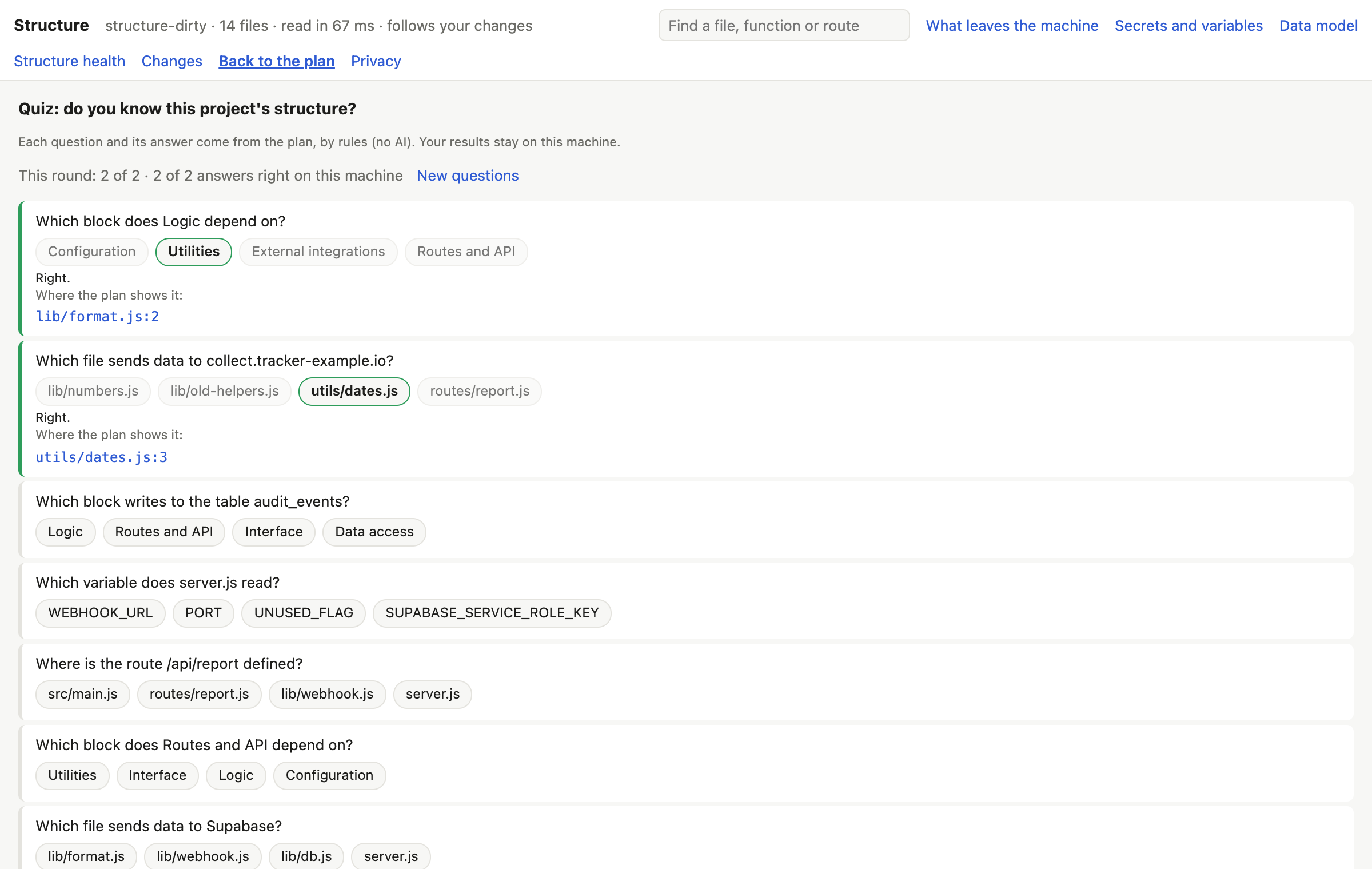
- Press Quiz at the top of the plan.
- Answer a question.
- You see the right answer and where the plan shows it. Press it to see the code.
- Press New questions for more.
The kinds of question
- Which block writes to a table?
- Which file sends data to a service?
- Which block does another depend on?
- Where is a route defined?
- Which variable does a file read?
How the questions are made
The question, the right answer and the other choices all come from your project's plan, by rules — no AI. Each answer is checked again against the plan before the question is asked, so the right answer is really right.
Your results are kept on this computer only, in ~/.codetac/structure/quiz/.
What it means
A wrong answer is not a failure: it is a part of your app worth a closer look. Open the plan where the answer is, read the card of that block, or ask your AI tool to explain that part to you.
What it can't tell you
- Only the five kinds of question above: nothing about functions or columns yet.
- The wrong choices are drawn from your project, not picked to be tricky. In a Next.js app, “where is this route defined?” is often easy to guess from the address.