What did the AI change?
What this page is for: knowing what an AI change did to your project's structure — new files, new services, a secret that now reaches the browser — in plain sentences, with proof.
The idea is simple: take a snapshot before you ask the AI for a change, and compare after.
Using Claude Code? It can be automatic, one report per prompt, with the lines of code: see What did my last prompt change?.
Steps
- Open Structure (how) and press Changes.
- Press Save a snapshot now. You can give it a label, such as
before login page. - (Optional) Press Predict… first and write what you expect the change to do (see below).
- Ask your AI tool for the change, and let it finish.
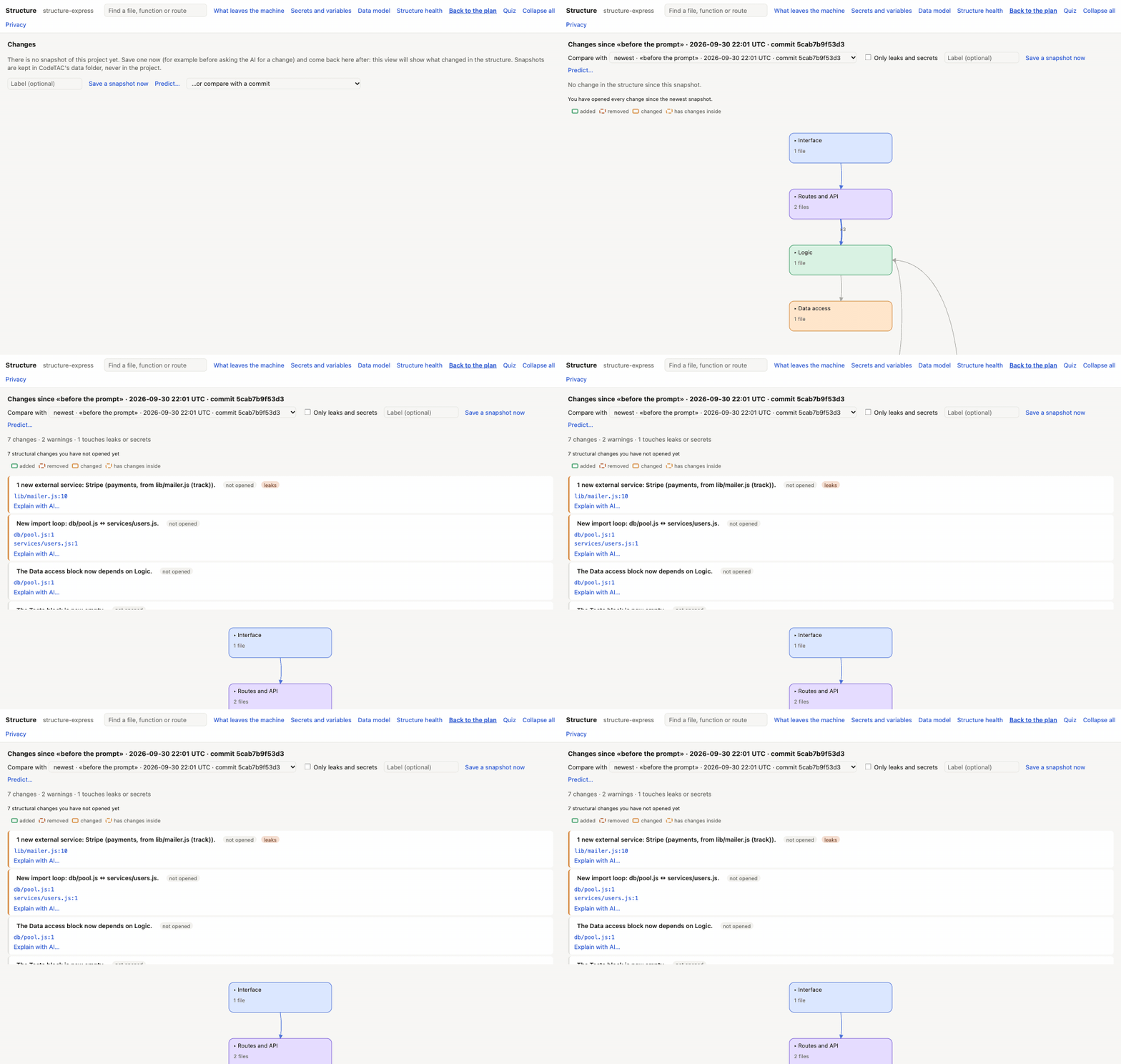
- Come back to Changes. The list shows what changed since the snapshot, the most important first.
- Press a sentence to see it on the plan.
In the Terminal, the same works with codetac structure --snapshot (before) and codetac structure --diff (after).
What you see
The sentences
Made by rules (no AI), for example:
- a secret that now reaches the browser;
- a table with row level security off, now used from the browser;
- a new outside service, and who sends it data;
- a new import loop;
- a block that now depends on another;
- tables, routes, variables and files added or removed.
Each one comes with its proof — the file and line, or, for what was removed, the snapshot.
Only leaks and secrets keeps only the changes about data leaving your computer or secrets.
The plan, marked
| Mark | Meaning |
|---|---|
| green | added |
| red, dashed | removed (the box stays, so you can see where it was) |
| orange | changed |
| moved | same content, new place |
| has changes inside | a block or file with changes inside it |
Compare with an older point
In Compare with, pick an older snapshot or one of your latest commits. A commit is read from a temporary copy (made with git archive), never by switching your folder: your files and your .git are not touched.
Changes you have not opened yet
The Changes button — and the Structure pill in your app's bar — show how many changes since the newest snapshot you have not opened yet. Sentences not opened are in bold. Opening one marks it as seen. If you save a new snapshot before opening them, they are kept and listed below, until you open them.
Predict: test your own understanding
Before asking the AI for a change, press Predict… and write what you expect: files added, changed or removed, blocks that will start depending on another, new outside services. After the change, you see:
- predicted and changed — you were right;
- changed but not predicted — the AI did more than you expected;
- predicted but did not change — the AI did less.
It is worked out by rules, with no AI. In the Terminal: codetac structure --snapshot --predict, then --diff.
Why bother? Because “changed but not predicted” is exactly the part of your app you no longer understand.
Where snapshots are kept
In ~/.codetac/structure/snapshots/ on your computer — never inside your project. The 20 newest are kept for each project (you can change that in the settings file).
What it means
The AI told you it “added a login page”. Changes tells you it also added a new service, made a file depend on the database, and left an old file unused. You decide whether that is fine.
What it can't tell you
- It compares the structure, not every line of code. A change inside a function shows as “changed”, not what the change was.
- A moved and changed file shows as removed + added.
- Services, variables and tables have no box of their own on the plan: their sentences light the file that uses them.
- The code of something that was removed cannot be opened (it is proven by the snapshot).
- In the panel you can compare with the 15 latest commits; comparing two commits with each other works only in the Terminal (
codetac structure --diff v1.2 HEAD). - Predict covers files, block links and new services — not functions, routes, tables or variables.