
What is my project made of?
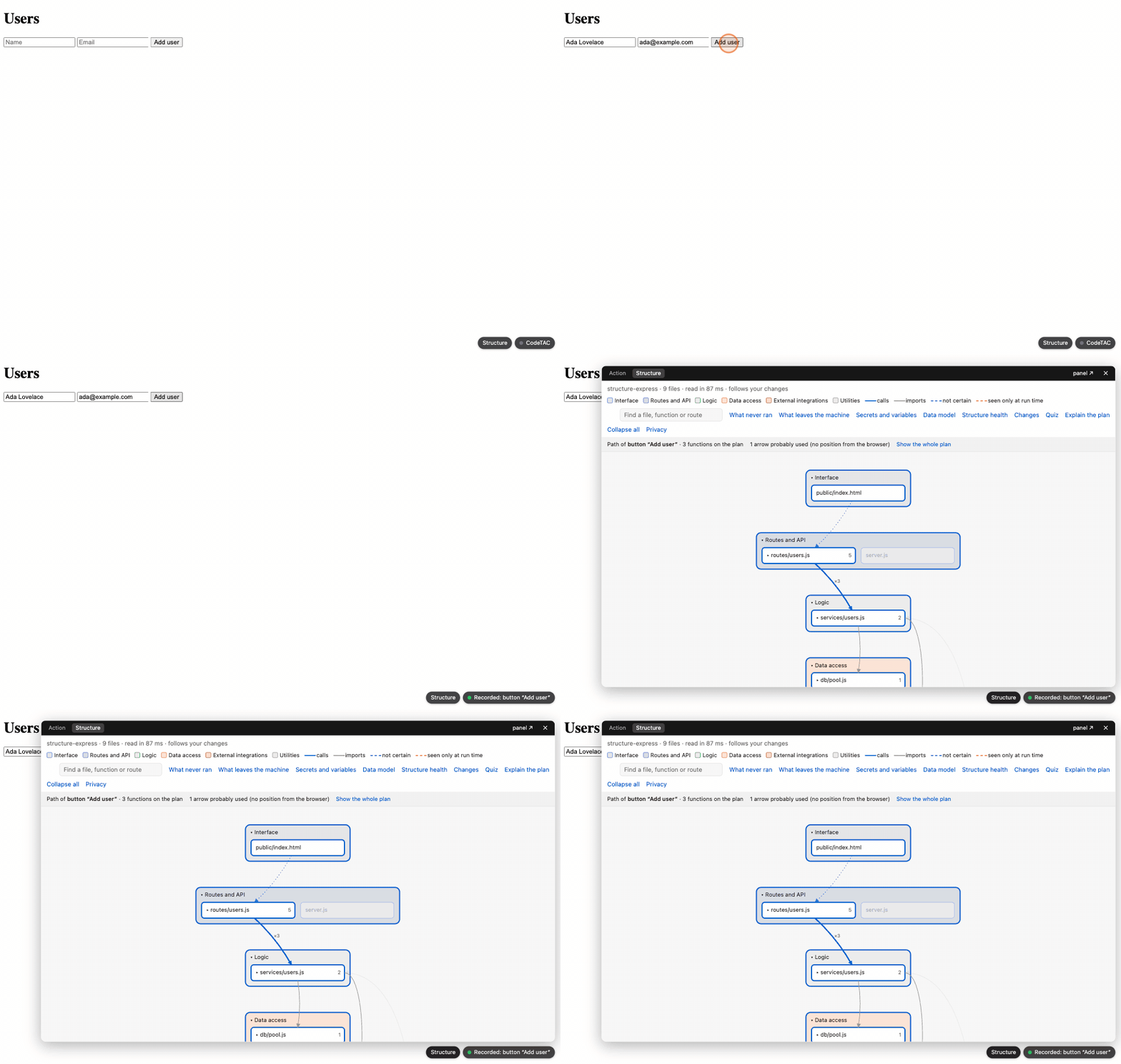
What this page is for: seeing the whole project at once — a floor plan of its files, grouped in blocks — and the path each of your actions took through it.
A dossier shows one action. Structure shows the whole project. It is read from the code on your computer, without running it.
Steps
- Start your app with
codetacand do at least one action. - Click Structure in the bar at the bottom right of your app (next to the dossier pill), or, when the dossier is open over your app, the Structure tab next to Action at the top.
- The plan opens with the path of your last action lit.
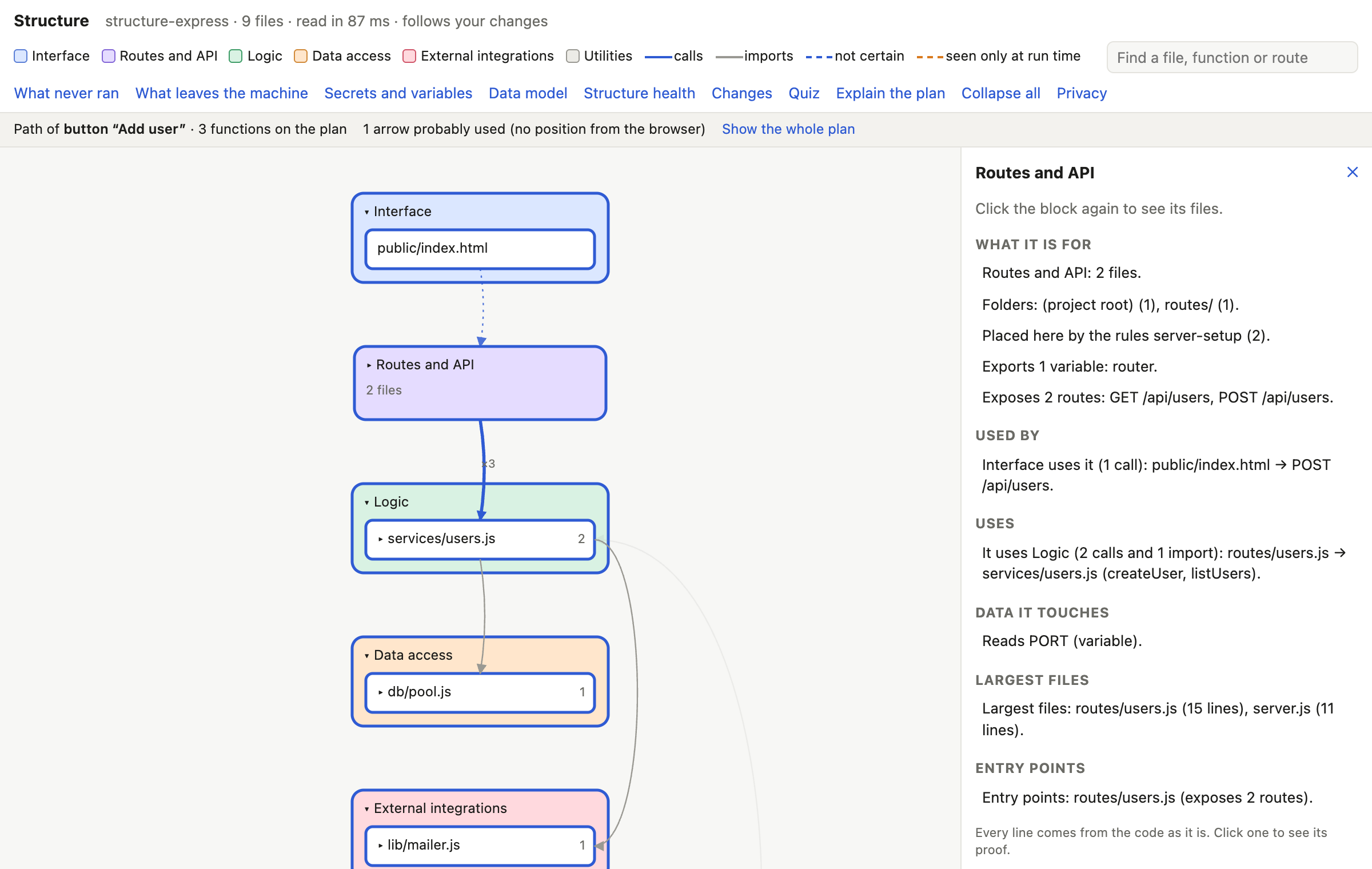
- Click a block to see what it is for. Click it again to see its files; click a file again to see its functions and routes.
- Use the search box (Find a file, function or route) to jump to something by name.
In the Terminal, codetac structure lists the same blocks as text, with the tables and a summary of the structure's health.
What you see
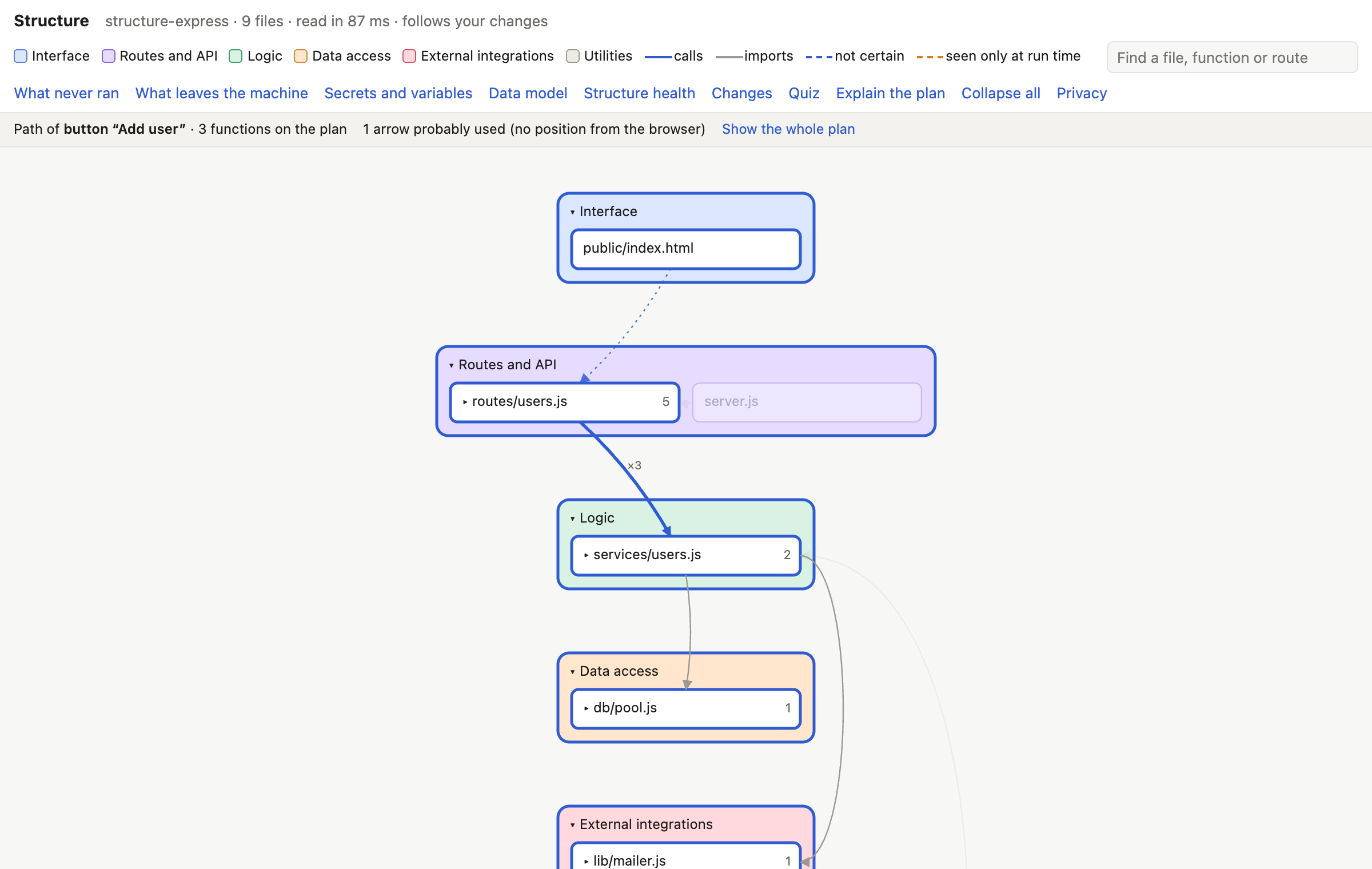
Blocks, in layers
Your files are grouped in blocks, from top to bottom:
| Layer | What goes there |
|---|---|
| Interface | pages and components the user sees |
| Routes and API | the addresses your server answers |
| Logic | the rules of your app |
| Data access | the code that talks to the database |
| External integrations | the code that talks to outside services |
| Last row | utilities, configuration, tests, and Unknown (files codeTAC could not place) |
Arrows
Arrows are imports and calls between files. The number on an arrow is how many there are.
| Arrow | Meaning |
|---|---|
| solid | read from the code: an import, a call, a fetch to one of your routes |
| dotted, “not certain” | read from the code, but it could not be confirmed (for example, two functions with the same name) |
| orange, dashed, “seen only at run time” | it happened in an action, but is not in the code as read |
| lit, dotted | this action probably used it (the browser did not say from where exactly) |
The card of a block
Click a block to open its card: what it is for, who uses it, what it uses, the data it touches, its largest files and its entry points. Every line comes from the code: click one to see the file and line that prove it.
The card also lists the actions that pass here in this session. Explain with AI… is optional, and so is Explain the plan at the top, which explains the whole plan in five lines — see Privacy and AI.
The path of an action
After an action, the blocks, files and arrows it went through are lit, and the rest is dimmed. What never ran dashes the arrows that no action of this session went through — handy for spotting code you have never actually used.
It follows your changes
When you (or your AI tool) save a file, the plan is read again and redrawn within a few seconds.
Buttons at the top of the plan
Each one answers a question and has its own page in this manual:
- What leaves the machine → What leaves my computer?
- Secrets and variables → Are my secrets safe?
- Data model → My database tables
- Structure health → Is my project getting messy?
- Changes → What did the AI change?
- Quiz → Test yourself
A file is in the wrong block?
Move it yourself:
codetac structure --reclassify src/misc/seed.js dataThe blocks are interface, routes, logic, data, external, config, utilities, tests and unknown. Use auto to give the file back to codeTAC's rules. Your choice is saved in codetac.structure.json (Settings file).
For files in Unknown, codetac structure --suggest asks an AI where they belong, showing you first what would be sent (paths and export names, never code). A suggested place stays marked as a suggestion until you confirm it with --reclassify.
What it means
The plan is a map, drawn from the code as it is written. The lit path is what really happened. Together, they show you both what your app could do and what it did do.
What it can't tell you
Reading code without running it has blind spots. The plan may miss an arrow, or put a file in Unknown, when:
- the code chooses what to load while running (
import()of a computed path,require(variable), functions passed around as values, event emitters, queues); - a request's address is in a variable (the plan then says comes from the variable …, or unknown when the address is built while the app runs);
- a function is called by something other than its name (
obj[name](), a method of a class instance).
The lit path of an action fills part of that gap: an arrow that really happened but was not in the code shows up as seen only at run time. The full list is in What codeTAC can't see.
Project size: recommended up to 10 000 files. On a Mac, 10 000 files are read in about a second the first time.